Wednesday, June 15, 2016

MES App Challenge


As an eight-year veteran of instructional technology, I've seen many changes over the years. Technological advances have swept the educational realm with warp speed; the traditional tools of the trade have rusted in their metal toolboxes. VCR tapes flattened into DVDs, now we stream from YouTube. Chalkboards became whiteboards then SMART Boards. Overhead projectors were cast aside for handheld document cameras. Floppy disks became USBs and now we store our files in the Cloud. Seven years ago the iPad didn't exist.

All these changes in the tools we use, the manner in which we conduct business, and yet... some things haven't changed. We still work a 10-month contract, still spend countless hours (and money!) outfitting our classrooms, and still do PD the same way as decades before. 

I wanted this year to be different.

I started in September with an interest survey, asking teachers what they wanted to learn about. There was an overwhelming interest in learning more about iPad apps, which was great, but an area I didn't have much expertise. Sure, I knew how to use my favorite apps like Edmodo and PicCollage, but how could I meet the needs of all the different grades? Where would I start? Which apps were the best of the best? How could I transition my teachers from handing students an iPad to "play" and instead make that instructional time meaningful and productive?

I spent a few weeks connecting with my PLN on Twitter, asking for ideas and suggestions. I started making Twitter lists, sorting my followers by grade level and subject area. I read app reviews on Common Sense Media and asked teachers "What do you want to do?" instead of "What do you want to use?"

This was the year to change me.

I wanted PD to be fun. Engaging. Inspiring. What could I do differently to share what I had learned with my teachers?

What evolved from my quandary was the MES App Challenge. I planned 10 PD sessions for 30 minutes each, highlighting a specific app and its use. The goal was a quick "in and out" intro with time for independent exploration. I also implemented a badging system where teachers could add app icons to a laminated iPad, earning perks in the process.


All sessions were optional, held during the last 30 minutes of the day after students had left the building. I created a Remind account to keep teachers connected with upcoming PD sessions and to send out shout-outs for awesome achievements. I also posted monthly visual reminders around my building about sessions: on lab doors, in the teacher's lounge, and at the sign-in desk.

Best of all, I provided personalized PD on topics of interest. This provided the opportunity to really get to know my teachers and the types of goals they had for their students' learning. I was able to follow-up and provide support throughout the year for classroom implementation and several teachers invited me in their classrooms to showcase what their students could do!

As I reflect on this year, and my first attempt at providing personalized PD, I'm excited! I want to continue to support my teachers' use of iPads in the classroom, but I also want to extend this PD format to other topics as well. My brain is already swirling with ideas to make PD more relevant and engaging next year.

How are you providing personalized PD? Are you using badges as incentives for teacher PD? Do you have any "must have" free apps for the elementary classroom? Comment below and share your expertise! I would love to learn and grow with you!


Thursday, May 12, 2016

PD by the Numbers


Much of my job as an ITRT revolves around professional development. Our role in the school is to provide "on-demand professional development support for students, teachers, and administrators." No small task indeed!

Traditionally, PD has been a laborious duty of "sit and get." Three-hour sessions. Don't fall asleep. (I'm reminded of the theme from Gilligan's Island - "A three-hour tour.") Teachers vocally share their frustration about mandatory PD, begging for choice and flexibility. Why is there such a divide between what teachers want to learn and what they have to learn? And why must the sessions always be so long?

I have struggled with this disconnect for quite some time and decided that THIS would be the year I changed how I provided PD to my teachers. If they could pick any topic to learn about, what would they choose? What tech tools were new to them? Did they have any grand ideas of projects or themes where I could provide support?

I didn't know the answers because I hadn't asked the questions.

Sure, I had participated in grade level meetings and offered suggestions or support. I asked what they needed and was met with cordial smiles with a few teachers on the side approaching me for additional help. But this was different. I wanted to know their personal thoughts about technology PD. Not with their team. Not with me. I wanted the barriers of peer pressure and assumed expectation stripped away for raw, honest responses.

I wanted answers that required reflection.

It was expected that we would support two PD initiatives focusing on Google Implementation (our first year as a GAFE district) and Interactive Achievement. I could have easily offered sessions on these two topics alone and filled my calendar for the year.

But I wanted to know more and I was convinced my teachers did, too.

I started the school year with an in-depth teacher survey where they could share their thoughts on what they wanted to learn about and how interested they were in various topics. The survey was subdivided into three sections: Google products, Tech Integration, and Digital Tools. There was also a free response section where teachers could type additional information they wanted to share. I provided the teachers two weeks to complete the survey and the results were fascinating!

A Sample of Google results

A Sample of Tech Integration results

A Sample of  Digital Tool results

After analyzing my data, I discovered a strong interest in "Good, Better, Best for iPad Use in the Classroom." I created an MES App Challenge where various apps would be spotlighted for a quick, 30 minute max PD session various times a month. (More on that in my next post!) I also discovered through the free response section of my survey that an entire grade level was interested in learning more about how I used instructional videos with EdPuzzle for center rotations. Even though that question didn't score very high in the school-wide survey results, I made EdPuzzle training and support a priority for this specific grade level.

I created a Remind account and asked teachers to join. Several times a month I sent reminders of upcoming PD sessions or shout-outs teachers who reached learning milestones. My goal was to make learning easy and fun while strengthening relationships in the process.

I also realized I needed to learn more about Personalized PD and the nuances of managing such an overwhelming style of PD. I connected with other like-minded educators on Twitter and followed the hashtag #personalizedPD. I joined a #personalizedPD Voxer group and sought out Personalized PD sessions at local and virtual conferences.

The one thing I discovered that ALL Personalized PD has in common?

A growth mindset.

Yes, I know that's a trending topic and I also know the buzzword has been used so often it's starting to lose a bit of its luster. But the sentiment holds true: in order to grow, you have to be willing to learn new things.

In April, I asked several teachers to reflect on their progress, with whatever topic or tool they chose to learn about this year. The results were astounding!

A progress chart based on ski slope symbols

Results of teacher growth through ongoing PD

This is worthy of CELEBRATION! We now have experts in our building, many of whom feel confident enough to teach others what they have learned. WOW! So empowering!

I sent out this infographic to our staff, to showcase a few of the milestones met this year through our revamped PD structure:


The best part is that our district is changing, too. For the first time ever we are offering teachers choice and flexibility in their required PD trainings. They now have the option to earn their PD points in sessions offered throughout the summer instead of the typical all day "sit and get" structure of years past. They can take an eLearning course, or choose sessions on various days. 

Choice. Flexibility. Interest.

There are some exciting things happening in Hanover County Public Schools and I consider myself blessed to be part of the process! It has been a phenomenal year!


Friday, April 22, 2016

ECSE Personalized PD

This week I joined in with ITRTs Jamie Mullenaux (@JamieMullenaux) and Jen Hicks (@jenhicks) to provide personalized PD for Early Childhood Special Education (ECSE) teachers in our district.

Training was limited to an hour and fifteen minutes, so our challenge was to provide personalized PD in a limited amount of time. We knew there were varying numbers of available hardware in each class (iPads, SMART Boards, and SMART Tables), but we weren't sure who had what or which area they wanted more training. We decided to offer time for conversation, learning, and reflection as shown below:

We offered three stations focused on creative uses for iPads, SMART Boards, and SMART Tables, allowing teachers to choose the training they wanted to receive. We prepared digital guides for each session along with targeted questions to encourage active participation.

Our introductory conversations showed that many were comfortable using basic apps on the iPad, but were looking to learn how to use SMART Boards and SMART Tables. We still offered three stations, but found that providing flexibility for teachers to choose what interested them most made the greatest impact on learning.


As teachers interacted with the SMART Board and SMART Tables, they shared ideas for implementation, including which features they thought would be most appropriate for their PreK students. They also shared suggestions for troubleshooting common issues such as editing templates from the SMART Exchange and moving the SMART Table for naptime.

It was great to have all the ECSE teachers together to share in the learning experience! A special thanks to Solita Wilson for allowing us to use her classroom for training.  We learned quite a bit in such a short amount of time!


Tuesday, April 19, 2016

First Writing EdCamp

Last week I was invited by a fellow ITRT to attend the first ever EdCamp hosted by our district. It was organized by ELA curriculum coordinator, Tami Slater (@tami_slater) in collaboration with ITRTs Casey Nugent (@edtechdonuts) and Heather Causey (@hcausey). Even though the event was geared specifically for high school English teachers, I joined in the fun because I am always looking for ways to improve my own writing as well as strategies to support my beginning writers at the elementary level.


The morning was spent grading essays with the afternoons set up for an open sharing time of various topics. Each "room" was labeled after a famous writer, set up as tables across the cafeteria to allow for convenient movement between sessions.

Each session included a hyperlinked Google Doc for convenient sharing and note-taking. Teachers chose which session they wanted to attend, carrying laptops with them for each rotation. I definitely was the "odd man out" being an elementary-focused educator, but I enjoyed listening to the teachers share their struggles and successes.

Some great sites that were shared included Moving Writers and Storybird for motivating struggling writers. Other sites such as Canva and Piktochart were discussed for students to use in creating infographics. Grammarly was another hot topic for editing and grammar reteaching. We loved how it not only told us what to correct and how, but it also described in detail why we needed to correct our errors. Talk about empowering! Our only wish is that is synced with Google Docs! (Yes, we know we can copy/paste into the Grammarly website, but an automatic analysis would be such a gift!)

I loved listening to the teachers share their ideas of how to run writing stations in their classrooms- so inspiring! From having students rotate from one station to the next crafting a single story or individual stations to reinforce vocabulary and digital writing, it was clear that our teachers are looking for creative ways to engage our students with writing.

I left this EdCamp excited to share this PD concept with teachers in my building as well as the resources described. My hope is that this EdCamp structure grows to the point where we can have multiple EdCamps across the district focused on meaningful conversations as teachers continue to learn and grow!

Monday, March 14, 2016

Pi Day 2016


For the past month, our 5/6 compacted math students have been researching the concept of Pi and preparing collaborative presentations to showcase all they've learned. From the origins of Pi to the history of Pi Day, even with corny jokes in-between. Each group created a ten slide Google Slides presentation and honed their public speaking skills as they presented to the class.


Today, March 14, is the official "Pi Day" celebration across the world (math geeks unite!) For those who confuse pi with pie, you will definitely want to peek at our student presentations to learn more.

Ms. Brockel, our GT teacher, is such a wonderful addition to our staff as she guides students throughout the year with enrichment projects. She invited me to their class today for a final wrap-up of presentations, then surprised me with a gift and a card signed by all the students, thanking me for my assistance with their project. I was completely surprised by their thoughtfulness!


When I opened the gift, I was speechless - Ms. Brockel and her class had purchased me my very own Pi Day shirt (in my favorite color!) JOY!!


The class was fully engaged in various Pi-themed activities, from online scavenger hunts using the iPad to making a paper chain of Pi (which, at some point, had to come to an end even though the number itself is endless!)

Online Pi Scavenger Hunt

Counting the digits in Pi

The Pi link is growing longer!

And what Pi celebration would be complete without examples of pie? 


Today I was reminded of the JOY we can experience in the classroom when we allow our curriculum to align with our passions. I'm so proud of all the hard work our students have done with their projects - click here to see their presentations!


Friday, March 11, 2016

Passion Projects


What an amazing week!
This Wednesday I presented a session at the EdTech Conference held at VCU in Richmond, VA titled "Bring JOY to the Classroom with Passion Projects" where I showcased passion projects of first graders in my school. (For my presentation link, and more information about passion projects, click here.)
The session went well, with lots of laughter and joy scattered about (thanks to everyone who tweeted out comments on #edtechrva - you ROCK!) I loved learning more about the passions of the session participants (shown on this Padlet) then sharing the passions of our students. When the session ended, many participants stayed behind to continue the conversation and ask more questions which was great!
Just this week, I noticed another class diving into passion projects, with a random act of kindness theme:

Of COURSE, I wanted to sponsor a student! What a wonderful project that would have a direct impact on others! I contacted the teacher on Twitter for a mailing address, then stopped by Walmart to pick up a couple pair of socks. Today, after the conference I put passion projects into motion as I mailed off my contribution.

It brings such joy to my soul to know that young people are investing their time and creativity into helping others. What a divine purpose indeed! I'm also thankful for teachers like Mr. Leonard who recognize the power and potential of embracing young students' passions.
A shout-out to all the fantastic people who helped organize and facilitate this year's EdTech conference! Thanks to your hard work, educators such myself can learn, grow, and share the wonderful things we are doing in and out of the classroom! Kudos!

Monday, February 29, 2016

Tech Take-Out


In our job as ITRTs, our main purpose is to meet the on-demand technology integration needs of our students, teachers and administrators. Often this translates to professional development or lesson collaboration in the classroom.

What about other district personnel at the school board office?

Superintendent. Director. Curriculum Specialist. Secretary. Where is their technology training?

We've rolled out several new initiatives this year, most specifically Google Apps for Education (GAFE), which is quickly redefining our structure of work efficiency. While much of our summer and fall was focused on preparing and delivering instructional support for our front-line faculty and staff, we realized there was a need to expand our training to other vital roles in our district.

Welcome to HCPS Tech Take-Out.

The concept, inspired by our friends in Henrico County Public Schools, is simple: Create a list of training options that people could select, similar to ordering off a take-out menu, then provide what was ordered. We decided to take it one step further - we didn't just let school board office employees choose anything off the menu... we let them create the menu themselves. If they didn't see an option they wanted from our small list, they could add their own item.

When was the last time someone asked you what you wanted to learn about? In educational circles, we call this Personalized PD, but to offer this form of training to those who specialized in other aspects of education (i.e. data specialists, programmers, business managers) was something we had never done in our district. Would our Tech Take-Out be a blast or a bust?

We began with a Google Form for personnel to complete, then we assigned trainings based on request. Some people wanted training with Microsoft products. Some wanted Google. Some just needed to know how to access their email from home. The requests varied from simple to complex across a spectrum of topics. Our team of ten got to work scheduling sessions and organizing details so that each person's request would be met.

Best of all? Not one person had to leave the school board office.

Tech Take-Out came to them.

We met in conference rooms, individual offices and even hallways. Some sessions were one-to-one, others were formal presentations. The trainings lasted from thirty minutes to two hours, all focused on meeting the specific needs of each individual in attendance.


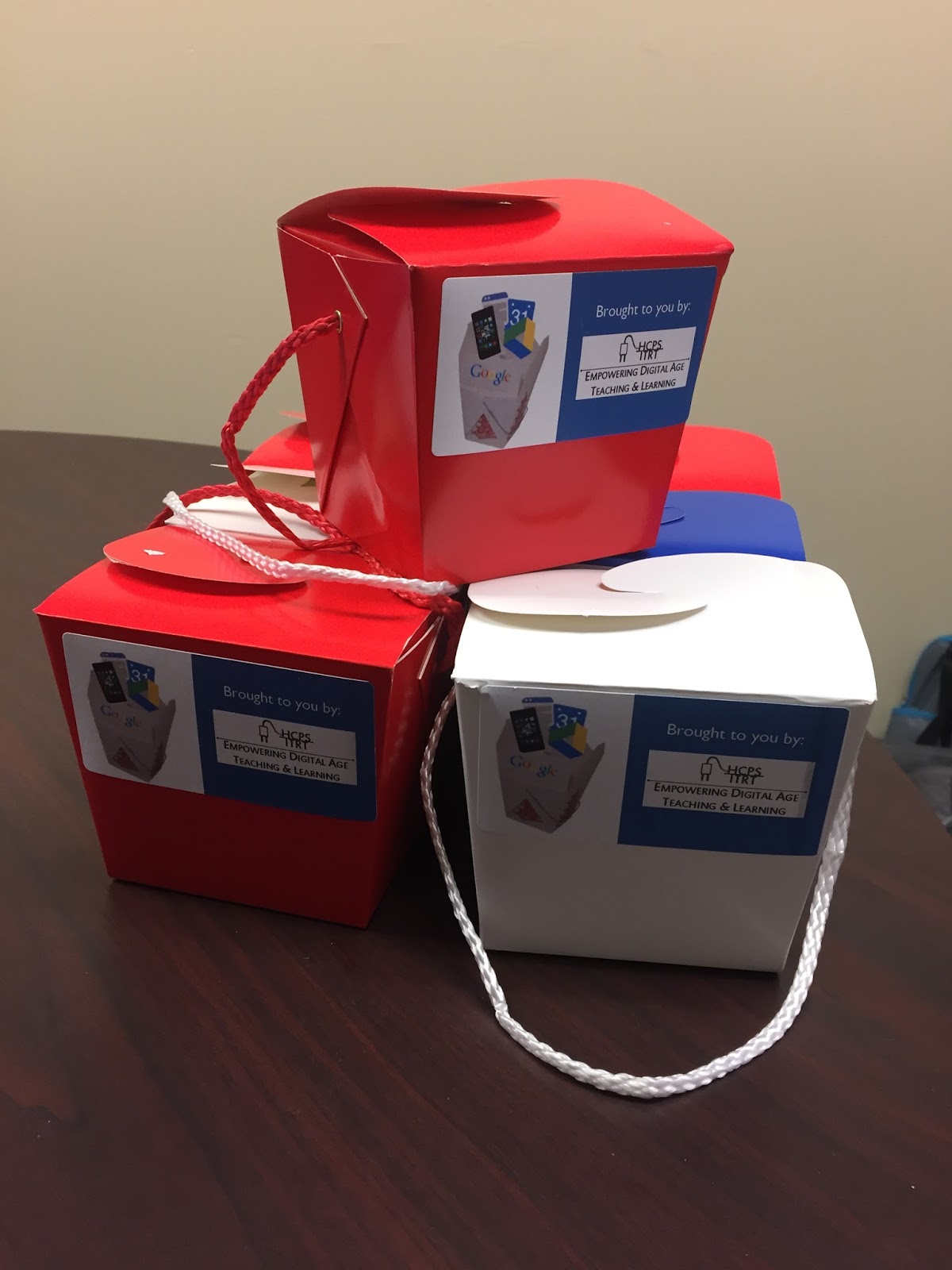
At the end of each session, we provided each participant with a Tech Take-Out container which included technology themed novelties such as Nerds and Smarties. We even include handmade fortune cookies with tech-related fortunes.


"It does not matter how slowly you go as long as you do not stop"
~ Confucius


For my Twitter trainings, I made Twitter bird cookies using a cookie cutter designed by students at Chantilly High School that was printed from a 3D printer.


The responses we received were overwhelmingly favorable; the school board office employees were very appreciative of our time and expertise. Tech Take-Out was such a success, we plan to offer it again in the future!

If you would like more information in how to implement your own version of Tech Take-Out in your school or district, contact me through Twitter (@HCPSTinyTech) or email (tletter@hcps.us). We all learn better when we learn together!