Like many people this time of year, I brainstorm New Year resolutions with the best of intentions. Write more. Organize more. Be more. Surely writing my resolutions makes them materialize from wishes to wins, right?
As I dove feet-first into 2015 and settled into the familiar rhythm of work, family, and life, I quickly forgot what I had written on my post-it note above (then lost track of the note altogether, sorry
Tony Borash!) It faded to the backdrop like a setting sun across the sea. The brightness gleamed, glistened, then simply disappeared below the horizon, lost in the darkness of night. I got caught up in the mundane tasks of going and doing and went about my way, week after week, month after month.
From January 1 to December 31, I worked, I played, I cooked, and I slept, but none of those tasks were written on my list. Another year had passed and I was right back where I started.
Or was I?
My friend,
Justin Birckbichler, challenged me to reflect on 2015 as he
shared his insights earlier in the week; I was also challenged by my
#compelledtribe bloggers
Craig Vroom and
Jennifer Hogan to do the same. It got me thinking... what exactly
did I accomplish in 2015? Was the year as static as my memory recalled?
I decided to make a list of the things I did that pushed me
out of my comfort zone. Whoa - how quickly my pen filled up the page! Even as I jotted down the memories, I could feel my heart race, the excitement of learning something new fresh in my mind once again. Looking back now, I'm in awe that only one year has passed - it's been one for the books!
Screencasting
At the start of 2015, I was relatively new to the world of screencasting, or making videos using your voice and computer screen. I was contacted by Atomic Learning to create a
video series about blogging random acts of kindness which included 32 screencasts. It was the first time I worked with project managers, producers, and audio technicians, and the learning curve was steep. I became an expert at connecting a pop filter to my microphone, adjusting settings in
Camtasia, and remembering to say "STOP" and pause four seconds every time I messed up my recording so I could easily find the sections to splice in the final edit. When they say "failure is an opportunity to learn," let's just say I learned a LOT!
How did this experience change me? I took what I learned and started making instructional videos for the teachers in my school and shared them on a
wiki, on
YouTube, on
EdPuzzle, and on
Edmodo Spotlight. I created more than 40 videos that students watched in center rotations, at home, and part of flipped classrooms. By uploading my screencasts to several websites and posting links globally through
Twitter, I was able to share my resources with the world!
I also
recorded teachers reading chapters from our school-wide book,
Charlie and the Chocolate Factory, and posted the links to a
Weebly website I created so families could listen to the recordings together. It was a noteworthy way to engage students in reading and listening as well as build connections with school and home.
I even collaborated on a
Genius Hour project with a first grade teacher and helped her students transform their "I wonder..." questions into multi-media
Pixie projects, complete with audio recordings.
Presenting
In 2014, I thought I had stepped as far as possible outside my comfort zone by
presenting an Ignite Talk at the
International Society for Technology in Education (ISTE) Conference in Atlanta, GA. It was, without exception, the most challenging presentation I had ever given: Engage and inspire an audience of hundreds in only five minutes with twenty slides advancing every fifteen seconds. Doesn't get much crazier than that!
Then in 2015, I was asked to be a Keynote Speaker for an Early Childhood Education conference. I knew right then that my experience at ISTE was merely practice for this unique opportunity. I shared a 45 minute presentation emphasizing Connections That Count, then provided a breakout session focused on technology for young learners. While this conference was much smaller than ISTE, every single participant there had their eyes and ears on me, to learn and be inspired by my thoughts, my passions, my experience. I can now check "Keynote Speaker" off my bucket list!
In August, I found my stride as I presented two
Teach Like a Pirate sessions for district leaders, sharing
Dave Burgess' passion and purpose for effective teaching. The sessions were so well-received, administrators were literally begging for books before they walked out the door! Several principals chose
#tlap as their school-wide theme for the 2015-16 school year. Such fun!
In the fall, I presented on behalf of the Virginia Department of Education at two separate
SOL Institutes across the state, sharing my experiences with formative assessment and digital writing. With only four presenters for elementary teachers (and four leading secondary), it was an intimate setting with 50-100 attendees each session. For those seeking resources, they will hopefully be posted soon!
To round out 2015, I was asked to serve as a Digital Content Committee Co-chair for the
Virginia Society for Technology in Education (VSTE) Conference in December. That opportunity showed me first-hand the behind-the-scenes view of volunteer prep-work, room setup, and a thousand other things that go into making a successful conference. Over the course of five days, I emceed
morning announcements with green screen recordings (another first!) with the talented Stephen Orr, created scrolling presentations, pushed out Twitter tweets, and helped my fellow committee members, making connections and building relationships every step of the way. It was truly a life-changing experience!
Blogging
Starting the 2015-16 school year, our district joined with thousands around the world to use Google Apps for Education (GAFE). This was probably THE most exciting change to our district we've had in years! My ITRT team spent April-June self-training on Google products, each focusing on something different so that as a team we could cover the basics for professional development sessions for teachers in the summer and fall.
I decided to create a professional blog (which you are currently reading!) and set a goal of two posts per month. My main purpose was to share stories of what I do in my job as an instructional technologist as well as delve into other topics of interest related to teaching and learning. From August to December, I've published 13 blog posts with more than 1500 views. Not too shabby for a brand new blog!
I chose Blogger as my platform so that I could develop training materials for other educators and district leaders interested in sharing stories of their own. I also learned the nuances of Google Docs and the basics of Google Classroom so I could support student bloggers as well. Currently at my elementary school, we have 10 classrooms exploring digital writing with hopefully more to come!
I still continue
blogging about random acts of kindness on my Wordpress site with 34 new stories for 2015 (Not counting the 12 stories I still have in draft!) I had more than 5,500 views from the U.S. and another 718 views from 73 other countries. Talk about having a global impact! Wow! If you are searching for inspiration about kindness for others, you may want to read a few of my favorite posts from 2015:
Secret Sisters,
RAK Mob at Rosa's, and
Yellow Brick Road.
For those interested in cooking, I also added
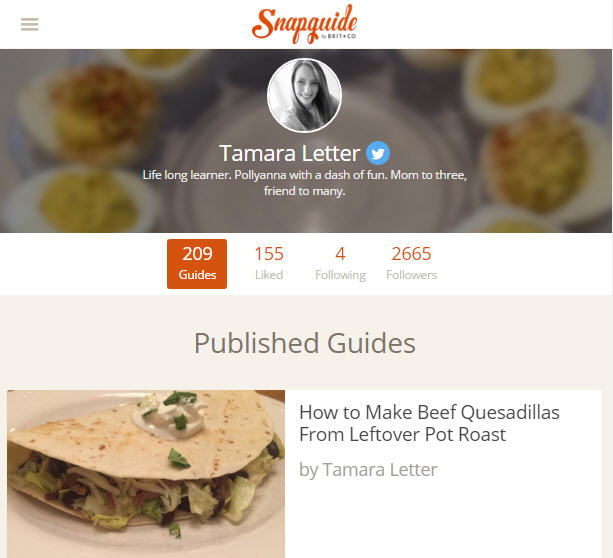
25 new digital recipe guides to Snapguide, bringing my grand total to 209 guides in all. That's a lot of culinary joy right there!
Webmaster
Another area I delved into for 2015 was creating and managing websites. This was a completely new area for me that I knew NOTHING about at the start of 2015! In May, I started dabbling with Google Sites and by August I had two sites up and running. I volunteered to create and manage the
Chorus Booster's website for my daughter's school and took the lead for creating our
ITRT team's website (which is definitely a work in progress!) Both projects had bumps in the road, lots of trial and error, but now that the framework is in place, I can learn and grow even more to improve both sites in the coming year.
Trainings/PD
A large aspect of my role as an instructional technologist is to provide on-demand professional development opportunities for teachers and administrators in my district. I'm always a bit humbled when people say, "You know everything about..." Oh goodness, if you only realized the fallacy of that statement! In this job, you
never know everything! Not even close! Technology is adapting at such a rapid rate; at the point you feel you have mastered a concept or tool, something new is already coming down the pike.
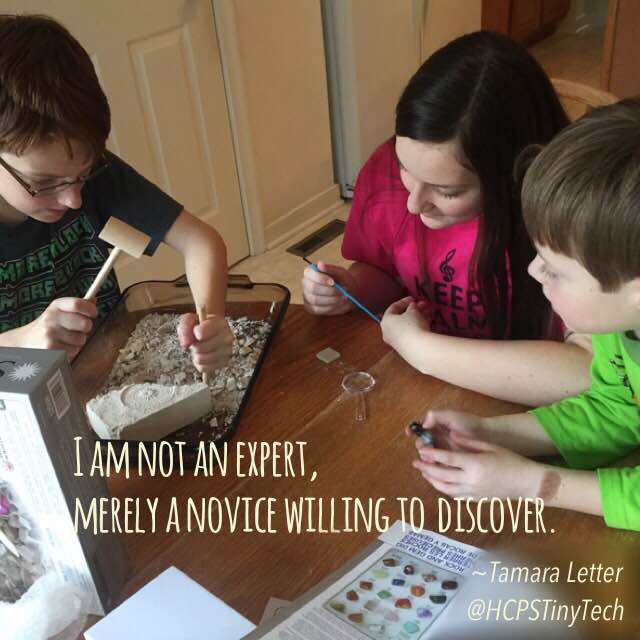
I am not an expert, merely a novice willing to discover.
.
Over the course of 2015, I have engaged thousands of teachers in professional development opportunities through one-to-one training, small group sessions, district-wide PD, local and state-wide conferences and even self-paced online courses. I completed requirements to retain my
Graphite Certified Educator status and served as an
Edmodo Spotlight Moderator this past fall. I am a lifelong learner, gleaning most of my personal and professional understanding through social media connections - reading blogs and engaging with my Personal Learning Network (PLN) on Twitter. After all, everyone I meet knows something I don't!
So what DIDN'T I do in 2015?
I didn't write as much as I wanted to; I found it difficult to carve out time for
me. My story still swells in my soul, like an ocean wave building in a distance, but I have yet to take that first step towards publication. The dream is still a dream for 2016.
I didn't get to the gym on a regular basis and my muscles now scream when I do burpees and squats. Despite the positive encouragement from Toni, Kate, and Vicki, I just couldn't find a way to be at two places at the same time. I hope with a Fitbit on my arm and few changes to my schedule I can be more consistent in the new year.
I didn't keep my house clean each week; many days my living room floor was a landmine of toys and Legos scattered from east to west. While I have dreams of living in luxury, this Momma realizes play is the highest form of research and making memories trumps cleaning every time.
I didn't make a vacation scrapbook; my photos are "dumped" but nowhere close to being organized or printed. In fact, I don't even know what the folder names mean, but at least with my new phone they are in numerical order (thanks, Apple!)
What else didn't I do?
I didn't regret.
I went to work each day with a smile on my face and a happy heart. I did my best to help teachers in my building, to ease frustrations with learning "one more thing" and to support student learning in the best ways that I could.
I listened to students talk about their weekends, their favorite books, their hobbies. I made a point to thank the door holder and compliment the quiet child who was sometimes overlooked. I smiled. I hugged. I got hugged back.
I played games with my children at home. I read books. I took time to appreciate the small things in life that made me happy. I went back and visited my colleges and shared coffee and dinner with friends. (I even made some new friends in the process!)
I spent precious time with family and discovered "bonus time" is a glorious thing.
I lived. I loved. I dreamed and I explored. I made hopeful wishes for a brighter future, then went out in the world to make it happen. I actually did
more than my three resolutions listed on that post-it note, none of which could have even been imagined on January 1, 2015.
And thanks to
Dean Shareski, I even discovered my New Years Resolution for 2016, summarized in one three-letter word:
Dream big and follow your heart. Know that you are making a difference in the life of someone else, even when you think you are doing nothing more than going through the motions. Take a moment to stop and reflect, looking back on all you've accomplished. You might be surprised to see the impact you've had on others.
Now go out and make 2016 the best year yet!